TL;DR
- Work through local SEO in six two-week blocks: details and tracking, Google Business Profile, citations, reviews, pages, then measuring.
- Trades who travel to customers should hide their address on Google. Clinics that see patients on site should show it.
- Use one business name, address and phone number everywhere, character for character.
- Ask every customer for a review with your Google link or QR code, and never offer anything in return.
- Give each service or treatment its own page, and compare calls and enquiries in week 12 with week 1.
This local SEO checklist is the order we work in when a trade or a clinic asks us to get them showing up on Google Maps. It runs for 90 days in two-week blocks, and if you do it yourself most weeks take two or three hours. Every step is something you can tick off, and each block builds on the one before.
It’s written for UK businesses that win work from people nearby: electricians, plumbers, roofers and builders who travel to customers, and dental, physio and aesthetics clinics that customers travel to. If you run a trade, our guide to SEO for tradesmen goes further on service pages and lead platforms. If you’d rather hand the whole list over, that’s what our local SEO service does every month.
How Google decides who shows up locally
#Google ranks local results on three things: relevance, distance and prominence. Relevance is how well your profile matches the search. Distance is how far you are from the person searching. Prominence is how well known you are, which takes in your reviews and how often you’re mentioned across the web. You can’t move your premises closer to the searcher, so everything in this checklist works on the other two.
Nobody can sell you the top spot
Google says there’s no way to request or pay for a better local ranking. Be wary of anyone who guarantees one.
The 90-day local SEO checklist
#Here’s the whole plan on one screen. Tick items off as you go; the sections underneath explain each block and why it comes in that order.
Weeks 1–2
Get your details straight and start tracking
0 of 5 done
This is your master record. Every listing you touch later copies it.
Weeks 3–4
Google Business Profile
0 of 5 done
Trades who visit customers hide the address. Clinics that see patients on site show it.
Weeks 5–6
Citations
0 of 5 done
Gas Safe, NICEIC or NAPIT for trades. The CQC register or your professional body’s directory for clinics, where they apply.
Weeks 7–8
Reviews
0 of 5 done
Weeks 9–10
Service and area pages
0 of 5 done
Weeks 11–12
Measure and plan the next 90 days
0 of 4 done
Weeks 1–2: get your details straight and start tracking
#Start with one written record of your business details and a way to count calls, because every later block depends on both. Write down your business name as it appears on your van or signage, your address, the phone number you answer and your website. Decide now whether it’s “& Sons” or “and Sons”. Every listing in weeks 5–6 copies this record exactly.
Then set up the counting. In Google Analytics 4, track taps on your phone number and completed enquiry forms as events. Connect Google Search Console so you can see which searches show your site. Note this month’s calls, website clicks and direction requests from your Business Profile’s performance screen. It takes an afternoon, and it’s the only way to know in week 12 whether any of this worked.
The low-tech check
Ask every new customer how they found you and write it down. It fills the gaps the tools miss, such as the neighbour who passed your number on after seeing your van.
How to track calls without breaking your listings
#Keep your main number on your profile, in your website footer and on every listing, and use call-tracking numbers only on ads or campaign pages. Google’s guidelines ask for a phone number that connects to your business and that you control directly. If you use tracking numbers, point every one of them at the line you answer.
Weeks 3–4: set up your Google Business Profile properly
#Your Google Business Profile decides whether you appear in the map results, so get the basics exactly right before you build anything else. The profiles we’re asked to look at usually go wrong in one of three places: the wrong address setting, a business name stuffed with keywords, or one vague category.
Service area or public address?
#If you travel to customers, as most trades do, set the profile up as a service-area business and hide your address. Google’s guidelines say service-area businesses should hide it, and the area you list shouldn’t stretch further than about 2 hours’ drive from your base. If customers come to you, as patients do at a dental surgery or physio clinic, show the address. Virtual offices and PO boxes aren’t allowed, and using one to appear in a town you don’t work from can get a profile suspended.
Name, categories and services
#Use your real-world business name. “Smith Plumbing” is fine; “Smith Plumbing Leeds 24/7 Emergency Plumber” breaks Google’s rules, and competitors do report it. Pick the primary category that covers most of your work, such as Electrician, Plumber, Dentist or Physiotherapist, and add secondary categories only for work you actually do. Then list each service or treatment with a line of plain description, set your hours including bank holidays, and link the profile to the matching page on your site.
Add photos of finished jobs, your van and your team, or your treatment rooms and reception. Customers look at them before they ring, and Google lists photos among the things that help. A few new ones each month keeps the profile current.
Two features older guides still mention
Google removed Business Profile chat in July 2024, and it removed Questions & Answers in late 2025, replacing it with an AI feature called Ask Maps that businesses can’t edit. Put the answers to common questions on your own website instead, where you control the wording.
Weeks 5–6: build and clean up your citations
#A citation is any listing of your business name, address and phone number on another website, and the aim is for every one of them to match your master record. Start with the listings that feed maps on other devices: Apple Business Connect for Apple Maps and Bing Places for Bing. Then the general UK directories your customers might use, such as Yell, and your Facebook page.
Next, the listings that show you’re qualified. For trades that’s the Gas Safe Register, NICEIC or NAPIT, and any trade body you belong to. For clinics it’s the CQC register in England where your practice is registered, and your professional body’s directory. Customers check these, so make sure the details match.
Cleaning up matters as much as adding. Search for your old phone numbers, previous addresses and old trading names, and update or close what you find. A duplicate Business Profile or a directory showing last year’s number sends Google mixed signals. We’d rather see ten accurate listings on sites your customers actually use than fifty on directories nobody visits.
Weeks 7–8: start a review habit
#Ask every customer for a Google review straight after the job or appointment, using the link or QR code from your Business Profile, and reply to every review you get. Google says more reviews and positive ratings can help your local ranking, and reviews are often what makes someone pick you over the business listed next to you.
Send the link by text or WhatsApp while the customer is pleased, ideally the same day. Ask them to mention the job and the area in their own words, such as “boiler service in Chapel Allerton”. Reply within a few days and keep it short and specific. Google’s guidance advises against putting offers in your replies.
Never offer a discount, a free extra or a prize draw for a review. Google’s policy prohibits incentives outright, and since April 2025 UK law bans fake reviews and incentivised reviews that hide the fact they were incentivised.
Replying to patient reviews
Clinics need extra care. Don’t confirm in a public reply that someone is a patient or mention their treatment, even if they did. Thank them, and offer to talk by phone.
Weeks 9–10: build service and area pages
#Give every main service or treatment its own page, plus one honest page about the areas you cover, because people search for the job rather than for “services”. A landlord searches for an EICR. A patient searches for Invisalign or an emergency dentist. A page per job can match each of those searches, with its own title, answers to the questions people ask before booking, a price or price range where you can give one, and proof such as photos, reviews or registrations.
Skip the copy-pasted town pages with only the place name swapped. Google treats them as doorway pages, which break its spam policies. One “Areas we cover” page that lists your towns, says how far you travel and how that changes for emergencies does the job better. Write separate area pages only where you have something specific to say, such as jobs you’ve done there.
Finally, add LocalBusiness structured data to your home or contact page. Google asks for the most specific type that fits, such as Dentist or Plumber, and the details should match your profile exactly. Here’s a minimal example for a clinic:
{ "@context": "https://schema.org", "@type": "Dentist", "name": "Example Dental Practice", "url": "https://www.example.co.uk", "telephone": "+44 113 496 0000", "address": { "@type": "PostalAddress", "streetAddress": "12 Example Road", "addressLocality": "Leeds", "postalCode": "LS1 1AA", "addressCountry": "GB" }, "openingHoursSpecification": [ { "@type": "OpeningHoursSpecification", "dayOfWeek": ["Monday", "Tuesday", "Wednesday", "Thursday", "Friday"], "opens": "09:00", "closes": "17:30" } ]}Weeks 11–12: measure what changed and plan the next 90 days
#Compare the numbers you noted in weeks 1–2: calls, website clicks and direction requests from your profile, phone taps and form sends in GA4, and the local searches that show you in Search Console. Expect the profile and reviews to move first, because Google picks up profile changes quickly. Rankings for competitive searches take longer, often several months.
Then answer the question the tools can’t: which enquiries became paid work? Use that to choose the next quarter’s three pages and ten listings, keep the review habit going, and run the next 90 days the same way.
Local SEO in practice: a home services firm
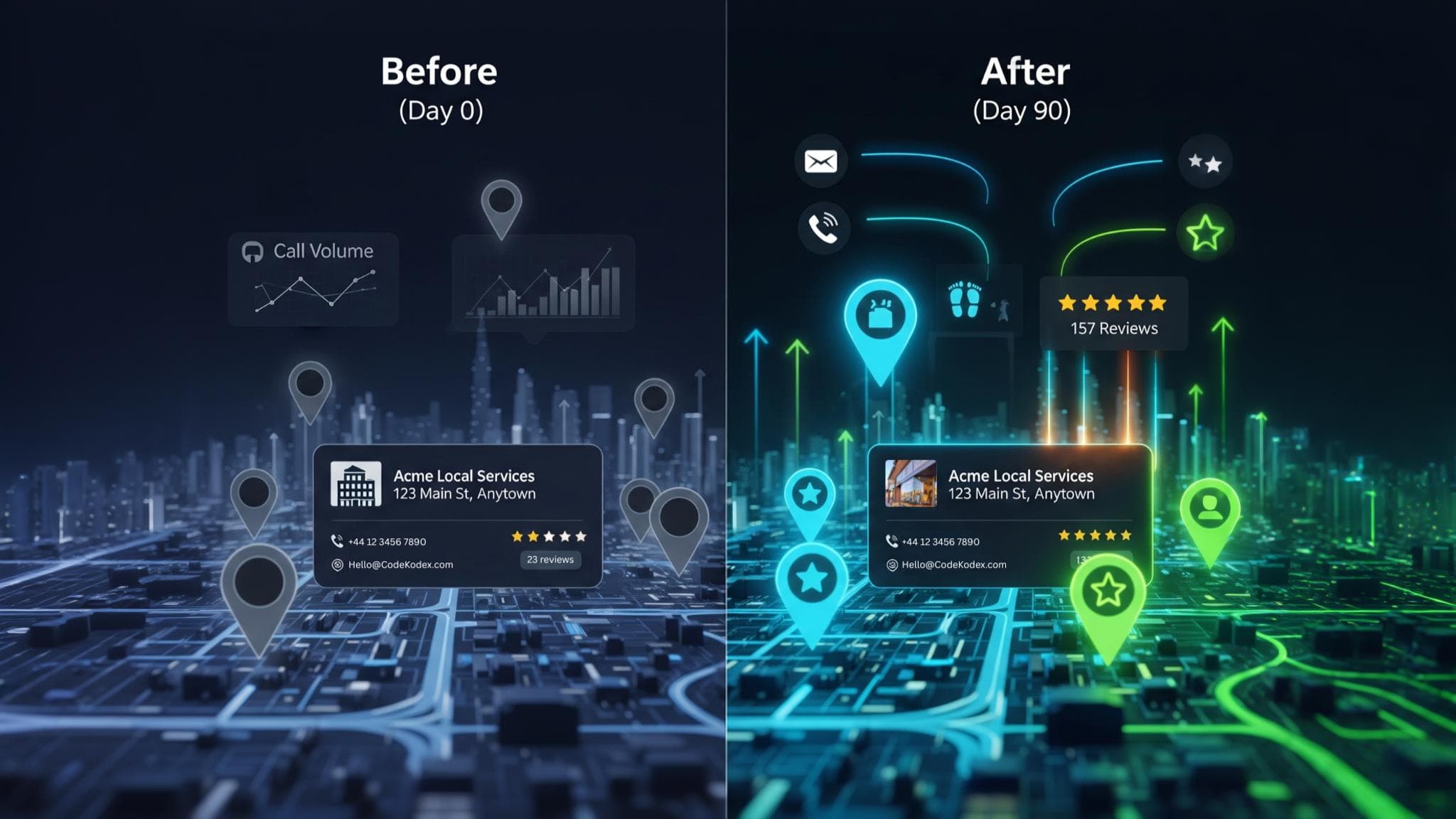
#A home services firm had inconsistent NAP and a quiet GBP. We aligned NAP across core directories, rebuilt their GBP with correct categories and service descriptions, and launched a reviews system that earned 28 new reviews in eight weeks. Three area pages with before/after photos went live in week 9. Calls from GBP doubled over the quarter and missed calls dropped after we added response SLAs and call-back automation.
Should you do local SEO yourself?
#Yes, if you can set aside two or three hours a week for 12 weeks. Nothing in this checklist needs paid tools. Where owners usually stall is the page writing in weeks 9–10, and keeping reviews and listings going once the 90 days are up.
If you’d rather we did it, our local SEO service runs this list every month. Local Starter is £199 a month and covers Google Business Profile work, 5 citations a month, on-page fixes on up to 5 pages and tracking for 10 keywords. Local Growth, at £349 a month, adds a review strategy, 10 citations a month and an article a month. Both are monthly rolling with 30 days’ notice, and you can compare them on our SEO packages page.
Not sure where you stand? Our free website check looks at your Google Business Profile and four other basics and comes back within 48 hours.
Local SEO checklist: common questions
#What is a local SEO checklist?
A local SEO checklist is a list of the jobs that help a business show up when people nearby search on Google, mainly in the map results. It covers your Google Business Profile, listings on other websites, reviews, a page for each service and tracking. Working through it in order stops you skipping the basics.
How long does local SEO take to work?
Changes to your Google Business Profile and new reviews often show within a few weeks, because Google picks up profile updates quickly. Ranking your website for competitive local searches usually takes several months. That’s why this checklist runs for 90 days and ends by measuring what changed and planning the next quarter.
Can I do local SEO myself?
Yes. Everything in this checklist can be done by an owner with two or three hours a week and free tools: Google Business Profile, Search Console and Google Analytics. The parts people find hardest are writing service pages and keeping the review habit going. If that’s you, a monthly plan can take it over.
Should a service-area business show its address on Google?
No. If you travel to customers and don’t serve them at your premises, Google’s guidelines say to hide your address and list the areas you cover instead. If customers or patients come to you, as they do at a clinic, show the address so people can find you.
How many citations does a small business need?
There’s no set number. Start with the listings that feed maps, Apple Business Connect and Bing Places, then the main UK directories your customers use and your trade body or regulator’s register. Accuracy matters more than volume: ten correct listings do more for you than fifty with mixed phone numbers.
Does Google Business Profile still have Q&A?
No. Google removed Business Profile Questions & Answers in late 2025 and replaced it with Ask Maps, an AI feature that answers questions about places and that businesses can’t edit. Business Profile chat went in July 2024. Put the answers to common questions on your own website instead.
Are town pages bad for local SEO?
Near-identical pages with only the town name changed are. Google treats them as doorway pages, which break its spam policies. One honest “Areas we cover” page works better, with separate area pages only where you have something specific to say, such as jobs you’ve done there.
Rather we worked through the checklist for you?
Our local SEO plans cover your Google Business Profile, citations, reviews and on-page fixes every month, from £199 a month. Monthly rolling, with 30 days’ notice to cancel.
Sources
Relevance, distance and prominence; no paid ranking — Google Business Profile Help
Tips to improve your local ranking on Google
Business names, service-area addresses, phone numbers — Google Business Profile Help
Guidelines for representing your business on Google
Review links, replies and the ban on incentives — Google Business Profile Help
Read and reply to reviews
LocalBusiness structured data — Google Search Central
Last updated September 2026
Doorway pages — Google Search Central
Fake and concealed incentivised reviews banned from 6 April 2025 — CMS
April 2025
Fake reviews guidance (CMA208) — Competition and Markets Authority
April 2025
Business Profile Q&A replaced by Ask Maps — BrightLocal
Updated April 2026
Business Profile chat removed on 31 July 2024 — 9to5Google
May 2024
- #local-seo-checklist
- #local-seo
- #google-business-profile
- #citations
- #reviews
- #service-pages
- #trades
- #clinics